My Hawaiian Telcom1.2.0
Publisher Description
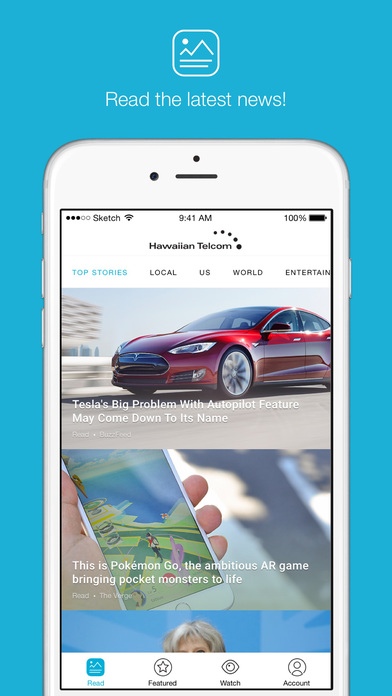
Powered by Hawaiian Telcom, is your daily source for the latest news and entertainment from around the world. Plus, you ll have easy access to your Account, Email, Voice Mail, Online Billing, Referral Rewards and more.
Features:
Read Tab
Stay in the know with breaking news, entertainment and sports articles.
Featured Tab
Find interested stories through the Featured articles feed.
Watch Tab
Sit back and be entertained for hours through your own access to the latest web videos plus a library of over 400,000 amazing clips. Videos are updated and curated daily so you never miss a thing.
Account Tab
Connect directly to Hawaiian Telcom s Account Management portal allowing access to Email, Voicemail, Online Billing and Referral Rewards
Requires iOS 9.0 or later. Compatible with iPhone, iPad, and iPod touch.
About My Hawaiian Telcom
The company that develops My Hawaiian Telcom is Hawaiian Telcom Communications, Inc.. The latest version released by its developer is 1.2.0.
To install My Hawaiian Telcom on your iOS device, just click the green Continue To App button above to start the installation process. The app is listed on our website since 2016-12-21 and was downloaded 44 times. We have already checked if the download link is safe, however for your own protection we recommend that you scan the downloaded app with your antivirus. Your antivirus may detect the My Hawaiian Telcom as malware if the download link is broken.
How to install My Hawaiian Telcom on your iOS device:
- Click on the Continue To App button on our website. This will redirect you to the App Store.
- Once the My Hawaiian Telcom is shown in the iTunes listing of your iOS device, you can start its download and installation. Tap on the GET button to the right of the app to start downloading it.
- If you are not logged-in the iOS appstore app, you'll be prompted for your your Apple ID and/or password.
- After My Hawaiian Telcom is downloaded, you'll see an INSTALL button to the right. Tap on it to start the actual installation of the iOS app.
- Once installation is finished you can tap on the OPEN button to start it. Its icon will also be added to your device home screen.
